Wine-picking robot
Wait, A Robot Picks My Wine? Yes.
COMPANY
Softbank &
Changi Airport
ROLE
Front End Developer,
UI Designer
Tools
Adobe Photoshop,
Visual Studio Code,
Pepper Robot
YEAR
2019

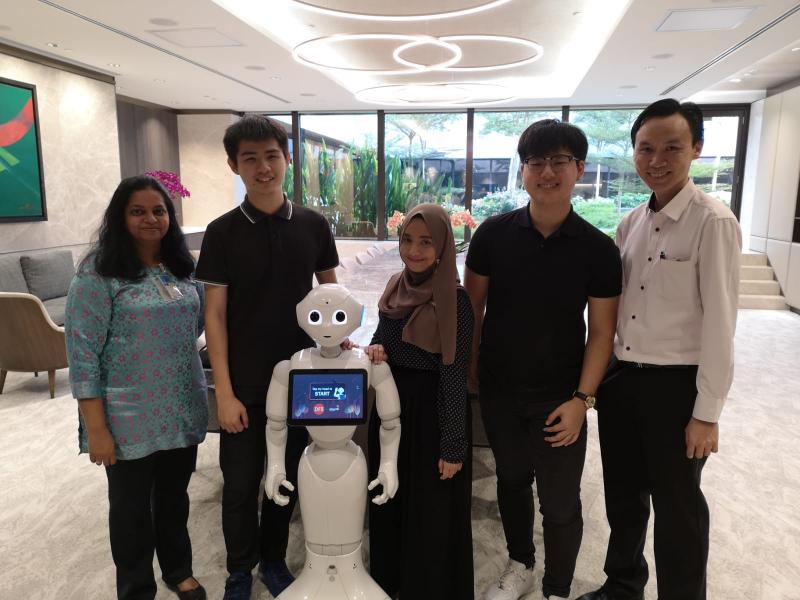
Overview of Pepper Robot

Pepper is a versatile humanoid robot designed for interactive communication, emotional recognition, and multilingual support, equipped with a touchscreen and advanced motion technology.
Communication Capabilities
Autonomous Behavior: Engages in interactive and context-aware conversations.
Speech Recognition and Generation: Understands and responds to spoken language.
Emotional Recognition: Detects and responds to human emotions.
Language Support
Multilingual Abilities: Communicates in 15 languages, including English, French, Japanese, and more.
Physical Features
Touchscreen Display: Equipped with a 10.1-inch touchable screen for user interaction.
Motion Technology
Smooth Motion Generation: Performs fluid and natural movements to enhance interaction.
Project Development
1) Pepper Robot Functionalities
We tested various arm gestures for the Pepper Robot using Choreographe IDE’s Animation mode to determine the most effective gestures for the project.
2) Design of Web Application
The web application was designed in PowerPoint and built using HTML5, CSS, and JavaScript. I handled the HTML and CSS, while two team members focused on JavaScript. All images were supplied by the client. Here are some of the screen designs at the initial stage:


3) Editing Of Visuals
DFS provided 200 wine images, but they were too small for clear display. I cropped and resized them to 175x216 pixels using Adobe Photoshop to ensure the labels were visible and consistent.

On-site Testing
During the initial prototype testing at Changi Airport Group, we encountered technical issues like page loading delays and occasional pauses in Pepper’s speech.
Client feedback highlighted several areas for improvement:
1) Wine Recommendation Page: Replace bottle images with cropped label images for easier identification by promoters.
2) Pepper’s Introduction: Have Pepper explain that it is gathering food preferences to generate wine recommendations, enhancing user experience and understanding.
3) Recommendations Page: Add icons or text to clearly indicate red or white wine.
4) Text Size: Increase the text size for questions, as it was deemed too small.
Final Product & Deployment at
Changi Airport
After integrating client feedback, we redesigned the UI to enhance user experience and align with Changi Airport’s theme and color scheme. The updated design, tailored for ease of use and visual appeal, delighted our clients and significantly improved user interactions. This user-centered approach led to the successful deployment of the final product at Changi Airport Terminal 2 Transit in February 2019, marking a key milestone in delivering a solution that truly met passenger needs.

Final Prototype
Here is the Final Prototype:
Our project was featured on Changi Airport's YouTube channel!
Check it out here: